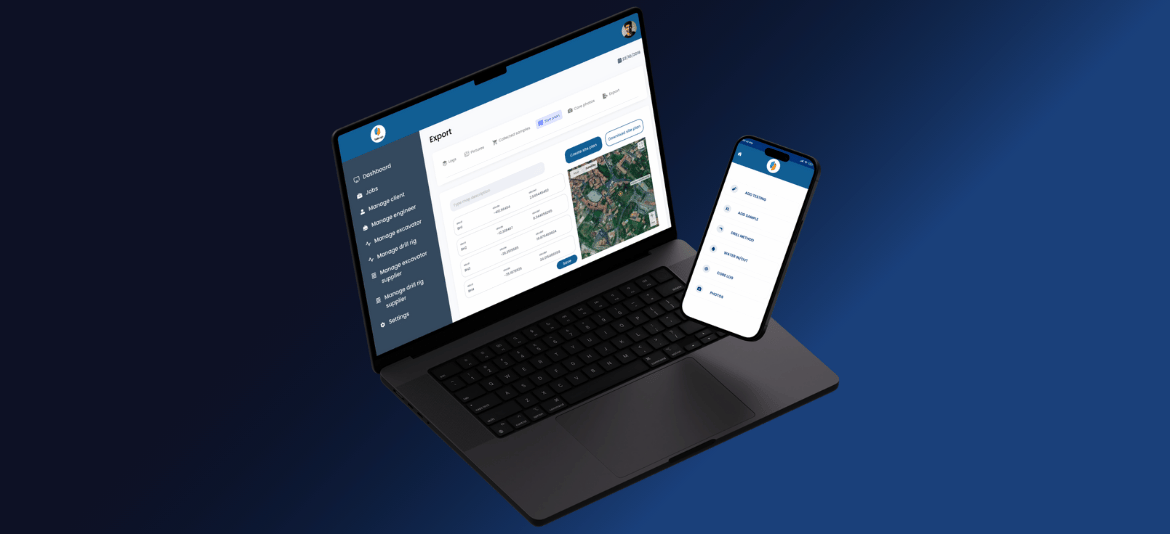
TabLogs — Turning Complex Field Inspections Into Structured Digital Reporting
How ISH Technologies helped TabLogs transform a specialised geotechnical inspection process from manual field capture and Excel-based reporting into a connected digital workflow.
The Challenge: A Complex Inspection Process Was Being Managed Manually
Geotechnical inspections involve much more than completing a simple checklist.
During an investigation, field teams need to answer a range of questions about geological conditions, record observations, capture supporting photos and collect information that will eventually contribute to technical reports.
TabLogs identified that much of this process was still being managed manually.
Information was captured during the field inspection and then transferred into Excel back at the office. The data needed to be organised and processed before it could be used to generate the required graphs and reports.
This created a disconnected workflow:
FIELD INSPECTION → CAPTURE INFORMATION → TRANSFER TO EXCEL → ORGANISE DATA → GENERATE GRAPHS → PREPARE REPORT
The information had already been collected once in the field.
But significant work was still required before that information became useful to the wider business.
Manual processing also created opportunities for errors, delayed information reaching the office and made it difficult for multiple people to access inspection data at the same time.
A Geotechnical Inspection Isn't Just Another Checklist
Different industries inspect different things.
A geotechnical inspection doesn't follow the same process as a fire inspection, environmental assessment, occupational hygiene assessment or asset inspection.
The questions are different. The information being captured can be different. Evidence requirements can be different. Business and compliance requirements can be different. And the final reports can be completely different.
Even businesses operating within the same industry can have their own established inspection processes.
That's why specialist inspection workflows don't always fit comfortably into generic inspection software.
For TabLogs, the requirement wasn't simply to replace a paper form with a digital checklist.
The system needed to understand the structure of the geotechnical inspection, capture the required information and support what needed to happen with that information afterwards.
Understanding the Inspection Before Building the Software
ISH Technologies worked with TabLogs to understand how information moved through the inspection process.
What questions needed to be answered onsite? What information needed to be captured? How should photos relate to an investigation? How should the captured data be structured? What did the office need from the field? And how would that information eventually contribute to graphs and reports?
These questions shaped the system around the actual inspection workflow.
Instead of asking the inspection process to fit the software, the software was designed around the inspection process.
Capturing Structured Data in the Field
A key change was how inspection information entered the business.
Rather than capturing information manually and then transferring it into Excel afterwards, TabLogs enabled users to complete geological inspections digitally.
The questions and information required during an investigation could be captured in a structured format from the beginning.
This meant the data collected onsite was no longer simply information waiting to be manually recreated somewhere else.
The inspection became the starting point of the digital workflow.
Once captured in a structured format, that information could continue through the system and support the processes that followed.
Keeping Photos and Inspection Information Together
Photos are an important part of many technical inspections, but capturing a photo is only useful when the business knows what that photo relates to.
TabLogs enabled users to capture and upload condition photos and associate them directly with the relevant investigation.
Instead of photos being managed separately and matched with inspection information later, supporting evidence could remain connected to the inspection record.
This helped create a more complete digital record of what happened in the field.
Supporting Inspections Beyond Reliable Internet Coverage
Geotechnical investigations can take place in remote locations where network coverage is limited or unavailable.
That meant the software needed to reflect the environment in which the inspection actually happened.
TabLogs was designed so field information could continue to be processed without relying on continuous internet connectivity.
This was important because specialist field software needs to work around the realities of the operation.
The field team shouldn't have to change how it works simply because the software wasn't designed for the environment.
Turning Inspection Data Into Graphs and Reports
Capturing information digitally was only part of the opportunity.
The bigger challenge was what happened to that information afterwards.
Previously, inspection data needed to be transferred into Excel and organised before it could be used to create graphs and reports.
By capturing the information in a structured digital format, TabLogs could connect field data with the reporting process.
The workflow moved towards:
INSPECT → CAPTURE STRUCTURED DATA → PROCESS → GRAPH & ANALYSE → REPORT
Custom reports could be generated using information held within the system, while inspection data could also become accessible to other authorised users across the organisation.
Instead of repeatedly handling the same information at different stages, the data could continue through one connected workflow.
The Outcome: More Than a Digital Inspection Form
TabLogs wasn't simply about replacing paper with a screen.
It was about understanding what a specialised geotechnical inspection collects, structuring that information digitally and connecting it with what the business needs to produce afterwards.
Field information could be captured digitally. Photos could remain connected with the relevant investigation. Remote field work didn't need to depend entirely on continuous connectivity. Inspection information could become accessible to the wider team. And structured data could support the graphs and reports required from the inspection process.
The inspection became the beginning of the digital information flow — rather than the beginning of another manual administration process.
Your Inspection Process May Be Different — And That's the Point
Every inspection business operates differently.
Your team may ask different questions, capture different evidence, follow different business or compliance requirements, apply different approval processes or produce completely different reports.
Your inspection process may also need to connect with existing business systems.
We don't believe a specialist inspection business should have to change a proven process simply to fit generic inspection software.
We start by understanding what your team captures in the field, the rules the process needs to follow, what happens to the information afterwards and what reports, graphs or other outputs the business ultimately needs.
Then we look at how technology can connect that workflow.
Your Inspections Are Specialised. Your Software Should Understand Them.
If generic inspection software doesn't fit the way your business works, let's talk about your inspection workflow.